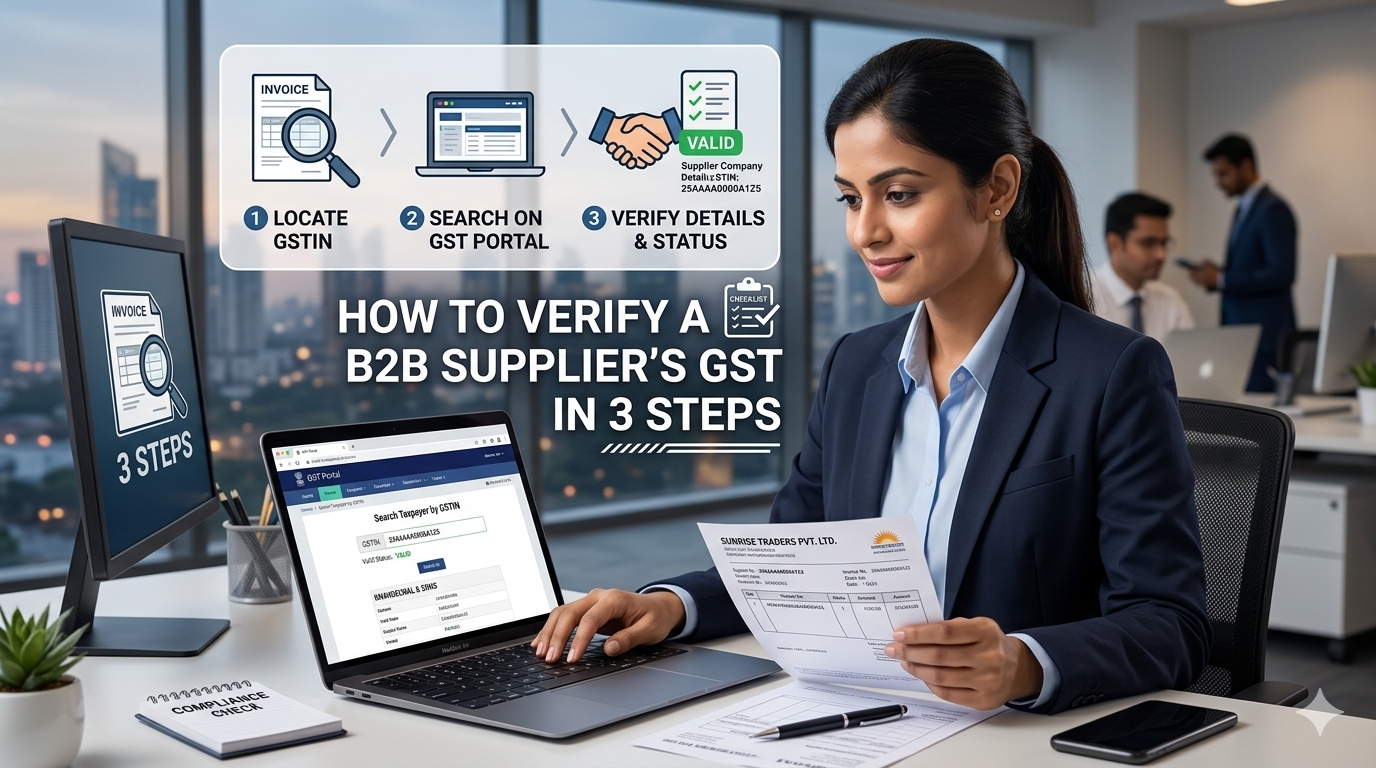
You can verify any B2B supplier's GST number in under 2 minutes using the government GST portal — no login required. This guide walks you through the exact 3-step process, shows you what each result means, and reveals the 5 red flags that indicate a fake or non-compliant supplier.
Why GST Verification Matters for B2B Buyers
Every B2B transaction in India involves GST. But most buyers only discover a supplier's GST problem after payment, when they can't claim input tax credit (ITC). By then, it's too late.
GST verification prevents:
- Input tax credit rejection — If a supplier's GST is cancelled or suspended, your ITC claim fails
- Fake invoicing — Fraudulent suppliers issue fake GST invoices that trigger tax notices
- Non-compliant suppliers — Suppliers with GST irregularities get flagged by tax authorities, and buyers face scrutiny
- Legal risk — Purchasing from unregistered suppliers above ₹5,000 requires special documentation
A 2-minute verification saves months of headache.
The 3-Step GST Verification Process
Step 1 — Get the GST Number
Ask the supplier for their GST number in writing. It's a 15-character alphanumeric code in this format:
text
27 AABCI1234K 1 Z5
- First 2 digits = State code (27 = Maharashtra)
- Next 10 digits = PAN of the business
- 13th digit = Entity number (usually 1)
- 14th digit = Z (always)
- 15th digit = Check digit
If the supplier hesitates to share their GST in writing, that's your first red flag.
Step 2 — Search on the GST Portal
Go to https://services.gst.gov.in/services/searchtp (free, no login needed).
Enter the GST number and complete the captcha. You'll get a result in 2–3 seconds.
Step 3 — Match the Details
The portal shows you:
FieldWhat It Tells YouLegal NameRegistered business name — must match the invoiceTrade NameOperating brand name (may differ from legal)Registration DateWhen they registered — under 6 months = red flagStatusActive / Cancelled / SuspendedTaxpayer TypeRegular / Composition / ConsumerNature of BusinessManufacturer / Trader / Service providerPrincipal Place of BusinessRegistered address
Critical: The Legal Name must match the name on your invoice and bank account. If they differ, you're dealing with an unregistered entity using someone else's GST.
What Each Status Means
StatusMeaningActionActiveFully compliant, can issue valid tax invoices✅ Safe to transactSuspendedTemporarily disabled due to non-filing⚠️ Avoid until resolvedCancelledRegistration revoked❌ Do not transactInactiveNo recent returns filed⚠️ Ask for clarification
The 5 Red Flags of a Fake or Non-Compliant Supplier
1. GST number on invoice doesn't match registered business name
Classic fraud. Walk away immediately.
2. Registration date is under 6 months old
Not always bad, but for a "20-year-old business" claiming recent GST registration, it's suspicious.
3. Nature of Business is "Trader" but they claim to be a manufacturer
Or vice versa. Mismatches indicate they're misrepresenting their business.
4. Taxpayer Type is "Composition" for a high-value order
Composition dealers can't issue tax invoices above ₹50L turnover. For large orders, this is a red flag.
5. Principal Place of Business is a residential address
Not always illegal, but for a company claiming "factory direct" it's worth investigating.
What to Do When a Supplier Fails Verification
If the GST is cancelled or suspended:
- Request the reason in writing
- Ask for their latest filed return (they can download from the portal)
- If unresolved, walk away — a reputational hit on one supplier isn't worth the tax risk
If you've already paid them:
- Report to the supplier immediately
- File a written complaint with the GST portal
- Consult a CA — you may be able to claim refund or offset losses
B2B Marketplaces Handle This for You
Manual verification works, but it's slow. On SecretsDeal, every supplier's GST is verified at registration and displayed on their profile. Buyers can filter by:
- ✅ GST verified
- ✅ PAN verified
- ✅ Business registered (Udyam / Company)
- ✅ Platform track record
This means you can skip the 3-step manual process for verified suppliers — but always do a spot-check on the first order.
Frequently Asked Questions
Q: Is GST verification free?
Yes. The GST portal's "Search Taxpayer" tool is completely free and doesn't require login.
Q: Can a supplier with cancelled GST still be legitimate?
Not for GST transactions. A cancelled GST means they cannot issue valid tax invoices. If you buy from them, you lose input tax credit and could face a tax notice.
Q: How often should I re-verify a supplier's GST?
Every 6 months for regular suppliers, and before every large order (₹5L+).
Q: What if the supplier says "GST is not applicable"?
Only legal for businesses below the ₹40L turnover threshold (₹20L for services). If they're selling in crores, GST is mandatory.
Q: Does the GST number alone prove the business is legitimate?
No. GST is one signal. Combine it with PAN verification, business registration check, and platform track record.